
Being unable to access an online casino account is frustrating‚ especially when you are trying to check a bonus‚ continue a game or make a withdrawal. A failed login does not necessarily mean your account has been compromised or closed. The cause may be as simple as a mistyped password‚ an outdated browser or a temporary service issue.
This guide explains how Canadian players can troubleshoot Jackpot City login problems safely. It also covers the smartphone app‚ account checks and the steps to take if the usual fixes do not work. Use the official site or app‚ and avoid sharing your password or verification codes with anyone claiming to provide support.
Start with the basics
Before changing account details‚ check for common errors. Enter your username or registered email and password carefully‚ paying attention to capitalization‚ spaces and keyboard settings. Password fields often hide characters‚ so a typo can be difficult to spot. If you use a password manager‚ confirm that it has saved the current credentials rather than an older password.
- Check your connection: Open another trusted website to see whether your internet is working normally.
- Reload the page: A temporary loading error may clear after refreshing or reopening the official site.
- Check your device’s date and time: Incorrect settings can interfere with secure connections.
- Turn off autofill temporarily: Your browser may be inserting an outdated username or password;
- Look for a service notice: Scheduled maintenance or a temporary outage can prevent sign-in.
Make sure you are using the correct Canadian-facing site and a secure connection. Do not follow login links from unsolicited messages‚ social-media comments or search advertisements that look suspicious. Typing the known official address yourself or using a trusted bookmark is safer.
Reset your password safely
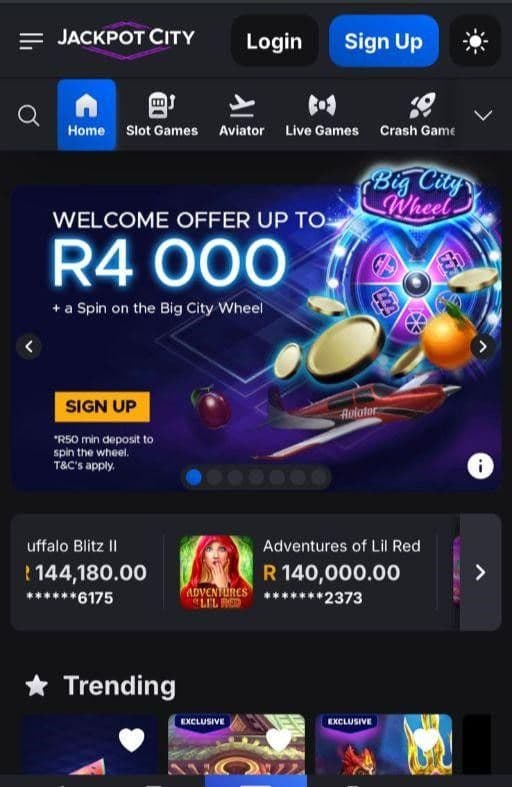
If you are confident the username is correct but the password is rejected‚ use the password-recovery option on the official login page. Follow the instructions sent to the email address associated with your account. Check the spam‚ junk and promotions folders if the message does not arrive after a few minutes.
Choose a new password that you have not used on another website. A unique password reduces the impact of a breach elsewhere. Store it in a reputable password manager rather than in an unprotected note. Do not send it to customer support: legitimate agents should not need to know your password.
If you did not request a reset message‚ do not approve unexpected changes or share any reset link. Navigate to the casino independently and contact support through the official help channel to ask whether the account needs attention.
When login attempts are blocked
Repeated unsuccessful attempts can trigger a temporary security restriction. If you have tried several times‚ stop rather than continuing to guess. Wait for any stated lockout period‚ then use the recovery process. Repeated attempts may extend the delay or make it harder to identify the correct problem.
An account may also require additional checks if details need confirming or if unusual activity is detected. For example‚ the casino could request identity or address documents through its secure verification process. Follow only instructions shown in your account or provided through a verified support channel. Never upload sensitive documents to an unfamiliar link sent by a stranger.
Canadian players should also consider whether they are using a supported location and connection. A VPN‚ proxy‚ public Wi-Fi network or travel outside the permitted service area can affect access. Turn off a VPN and try a private‚ secure connection if doing so is lawful and consistent with the casino’s terms. Do not use location-masking tools to get around eligibility or account restrictions.
Browser and device fixes
If the login page loads but does not respond‚ the issue may be caused by saved site data or browser settings. Try these steps one at a time so you can tell which one helps:
- Close the casino page and reopen it from the official address.
- Try a current version of another supported browser.
- Clear the browser’s cache and cookies for the casino site‚ then restart the browser.
- Temporarily disable extensions that block scripts‚ cookies or pop-ups.
- Update your browser and operating system‚ then restart your device.
- If possible‚ test using a different trusted device and private internet connection.
Clearing cookies can sign you out of other websites‚ so make sure you know how to access important accounts before doing it. Avoid downloading “casino login fix” software or remote-access tools. These are not necessary for ordinary troubleshooting and can expose your device or personal information.
Using the Jackpot City smartphone app
If you usually sign in through a smartphone app‚ first check that you are opening the genuine app and not a shortcut to an old web page. Update it through the official installation source available to you. If an update is unavailable‚ restart the phone and check whether your operating system is supported. On some devices‚ reinstalling the app may help‚ but confirm you know your login details first.
Do not assume that the app and mobile browser use separate accounts. Use the same registered credentials unless the official instructions say otherwise. If login works in a browser but not in the app‚ the problem is more likely to involve the app version‚ stored data or device compatibility. If neither works‚ an account or service issue is more plausible.
For context‚ the phrase where the Jackpot City smartphone app fits in Canadian rankings is best treated as a question about comparison‚ not a fixed claim. App availability‚ features and performance can change‚ and rankings depend on the criteria being used. Canadian players should assess the official app’s current availability‚ security‚ ease of use and support rather than relying on an unverified “number one” label; Never install an app from an unofficial file-sharing site.
Quick troubleshooting guide
| What you notice | What to try | When to contact support |
|---|---|---|
| Password is rejected | Check for typing errors‚ then use the official password reset | The reset email never arrives or the new password also fails |
| Page keeps loading | Check your connection‚ update the browser and clear site data | The problem continues on multiple devices and networks |
| Account appears locked | Stop retrying and follow any on-screen recovery instructions | The lockout persists or you do not recognize the activity |
| App will not sign in | Update or restart the app and check device compatibility | Browser access works but app access remains unavailable |
| Verification is requested | Use only the secure process provided by the official casino | You are unsure whether a request or link is genuine |
Contacting customer support
Contact support if basic checks and the password reset do not solve the problem‚ or if you suspect someone else has accessed your account. Use the contact options listed on the official site or in the verified app. Explain what happens when you try to sign in‚ when the issue began‚ which device and browser you use‚ and what troubleshooting steps you have already tried.
Include the exact error message if one appears‚ but do not send your password‚ full payment-card details or one-time security codes. Support may ask for information to confirm your identity; provide it only through the official secure channel. Keep a record of the date and any case or reference number you receive.
If you can access the account on another device‚ review recent account activity and update your password if anything looks unfamiliar. Check that your registered email and contact details have not been changed without your permission. If you cannot get in and see signs of unauthorized access‚ tell support that security is the priority and ask them to protect the account while they investigate.
Frequently asked questions
Why does my password work elsewhere but not here?
Passwords are specific to each service. A password saved for a different casino or an older Jackpot City account may not match the current credentials. Check the registered email or username and use the official reset process if needed.
Can I keep trying until I get in?
It is better not to. Repeated failures may lead to a temporary lockout. Verify your details once‚ use password recovery if necessary‚ and wait for any security restriction to expire.
What if I cannot access the email address on my account?
Contact official support and explain that you no longer control the registered email. You may be asked to complete identity checks before account details can be changed. Do not create another account to get around the issue unless support explicitly advises you to do so.
Should I use a VPN to fix a login problem?
No. A VPN can make a location or security check less reliable and may conflict with the casino’s terms. Try a regular‚ secure connection and contact support if access remains blocked.
Is a login error proof that my account has been hacked?
No. A typo‚ outdated password‚ browser issue‚ maintenance period or verification check can all cause a failed login. If you see unfamiliar activity or receive an unexpected password-reset notice‚ treat it seriously and contact support through an official channel.
Keep access secure
Once you regain access‚ set a unique password‚ keep your device and app updated‚ and sign out on shared devices; Avoid saving credentials on public computers or using public Wi-Fi for account changes. Make sure your recovery email is current and protected by its own strong password.
If the cause remains unclear‚ do not keep changing settings or follow unofficial advice. Record the error‚ stop repeated login attempts and ask Jackpot City support for help. For Canadian players‚ the safest route is always the official site or app‚ careful handling of verification details and patience while account checks are completed.